📘 Introduction
Overview of task management and the importance of structured to-do lists.
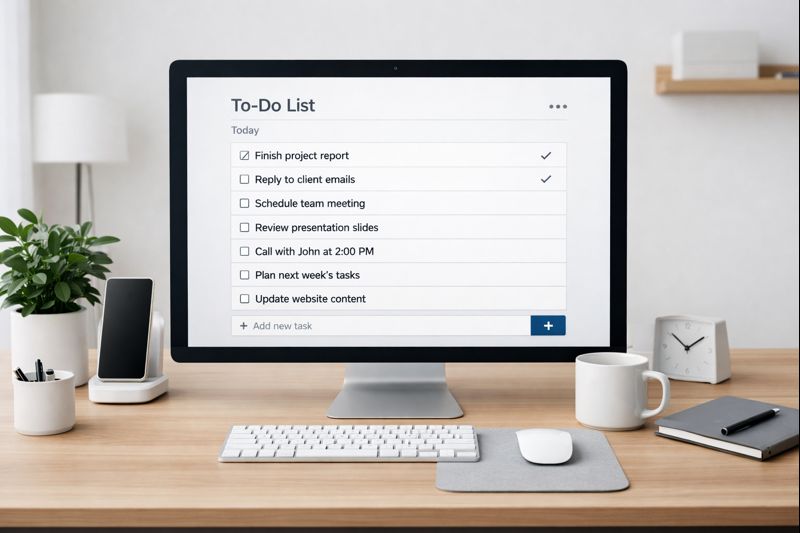
Managing daily responsibilities without a clear system often leads to stress, confusion, and missed deadlines. A structured to-do list acts as an external brain, allowing individuals to offload tasks from memory into an organized format. The To-Do List Generator is designed to simplify this process by helping users create clean, actionable task lists that are easy to follow. Instead of juggling multiple reminders or mental notes, users gain clarity and focus by seeing their tasks written down in one place.
In modern work and personal life, productivity is not about doing more tasks but about doing the right tasks at the right time. The To-Do List Generator supports this mindset by encouraging intentional planning. It helps users prioritize what truly matters, break down large goals into manageable steps, and maintain momentum throughout the day. Whether used for work, study, or personal errands, this tool promotes calm, structured, and effective task management.
📝 To-Do List Generator (Tool)
Create and manage your daily to-do list to stay organized and productive.
Table of Contents
⚡ Quick Summary
Fast overview of benefits and usage.
The To-Do List Generator is a simple yet powerful productivity tool that helps users organize tasks clearly and effectively. It focuses on simplicity, making it easy for anyone to start planning without a learning curve. By turning scattered thoughts into actionable lists, users can regain control over their time and responsibilities.
This tool is ideal for daily planning, weekly reviews, and long-term goal breakdowns. It supports productivity without complexity and helps users stay consistent. A well-maintained to-do list leads to better execution, reduced stress, and improved confidence in managing tasks.
Key Takeaways
- Simple and fast to use
- Improves daily organization
- Reduces stress
- Boosts productivity
- Works for personal and professional use
📖 What Is This Tool?
Definition and overview.
The To-Do List Generator is an online productivity tool that helps users quickly create structured task lists. It is designed to remove friction from planning and encourage consistent task management habits. Instead of complex task management systems, this tool focuses on clarity and ease of use.
By providing a clean interface and logical structure, the tool enables users to focus on execution rather than setup. It is suitable for anyone looking to improve productivity without investing time in learning advanced software.
Tool Definition
- Task list creation tool
- Focus on simplicity
- Quick and intuitive
- No setup required
- Flexible usage
🎯 Who This Tool Is For
Ideal users and personas.
This tool is ideal for students, professionals, freelancers, and individuals who want better control over their tasks. Anyone who feels overwhelmed by daily responsibilities can benefit from a simple and clear to-do list system.
It is particularly useful for people who prefer minimal tools that deliver results without complexity. From personal errands to professional workflows, the To-Do List Generator adapts easily.
Ideal Users & Profiles
- Students
- Professionals
- Freelancers
- Managers
- Individuals
😖 Core Pain Points This Tool Solves
User problems addressed.
Many users struggle with mental clutter, forgotten tasks, and lack of direction. Without a written plan, tasks remain vague and stressful. The To-Do List Generator addresses these challenges by creating clarity and structure.
By externalizing tasks into a visible list, users reduce cognitive load and improve focus. This leads to better execution and reduced anxiety.
Problems Users Face
- Task overload
- Poor organization
- Forgotten responsibilities
- Low focus
- Stress
- Inconsistent planning
- Unclear priorities
✅ How This Guide Solves Those Pain Points
Solutions mapping.
This guide explains how to create realistic and actionable to-do lists that users can actually follow. It promotes breaking tasks into smaller steps and focusing on priorities.
By applying these principles, users experience less overwhelm and more consistent progress.
How This Content Helps
- Encourages clarity
- Improves task breakdown
- Reduces overwhelm
- Builds consistency
- Improves focus
- Supports habit building
- Promotes realistic planning
💡 Why Use This Tool
Value proposition.
The To-Do List Generator removes unnecessary complexity from task planning. It helps users focus on what needs to be done instead of managing software.
By keeping things simple, the tool supports productivity without distraction.
Value Proposition
- Simple
- Efficient
- Reliable
- Time-saving
- User-friendly
⏰ When to Use This Tool
Best timing and scenarios.
The tool is best used at the start of the day, during weekly planning sessions, or when tasks feel overwhelming.
It also works well during busy periods when clarity is most needed.
Best Use Scenarios
- Daily planning
- Weekly reviews
- Busy schedules
- Personal task management
- Work planning
🛠️ How to Use This Tool
Usage guide.
Using the To-Do List Generator is straightforward. Users simply add tasks and review them for clarity.
Keeping the list visible and updated helps maintain momentum.
Usage Steps
- List all tasks
- Clarify each task
- Order by importance
- Work through the list
- Review and update
🏆 Benefits of Using This Tool
Advantages and outcomes.
A simple to-do list improves productivity by creating clarity and reducing stress.
Consistent use leads to better time management and confidence.
Key Advantages
- Improved organization
- Clear priorities
- Reduced stress
- Better focus
- Higher completion rate
- Time awareness
- Consistency
- Mental clarity
- Task control
- Balanced workflow
🔒 Privacy, Security
User trust and safety.
User privacy is respected. No login or personal data is required.
The tool is designed with transparency and trust in mind.
Your Data Safety
- No login required
- No data tracking
- User-controlled input
- Privacy-first design
- Secure usage
- Transparent functionality
Also Known As
FAQs
What is a to-do list generator?
It is a tool that helps create structured task lists.
Is this tool free?
Yes, it is completely free to use.
Do I need to sign up?
No registration is required.
Can students use it?
Yes, it is ideal for students.
Is it good for work tasks?
Yes, it supports professional task planning.
Does it save my data?
No personal data is stored.
Can I use it daily?
Yes, daily use is recommended.
Does it improve productivity?
Yes, by improving task clarity.
Is it easy to use?
Yes, it is very simple.
Can freelancers use it?
Yes, freelancers benefit greatly.
Is it mobile friendly?
Yes, it works on all devices.
Does it reduce stress?
Yes, by organizing tasks clearly.
Can I plan weekly tasks?
Yes, weekly planning is supported.
Is training required?
No training is needed.
Does it help with focus?
Yes, it improves focus.
Can I update tasks anytime?
Yes, tasks can be updated easily.
Is it suitable for personal tasks?
Yes, personal tasks work well.
Does it help with goal planning?
Yes, by breaking goals into tasks.
Is it beginner friendly?
Yes, very beginner friendly.
Why should I use it?
To stay organized and productive.
🔧 Other Productivity Tools
🗂️ Tool Categories
No categories available